Get A Quote
Jul 13,2026
A flexo plate that loses fine highlight dots or develops surface cracking after a few thousand impressions is rarely defective from the factory. In most cases, the damage began long before it appeared on press—during cleaning with the wrong solvent, exposure to UV light between shifts, or storage in conditions that accelerated polymer degradation. Proper maintenance of Flexible Printing Plates is not complicated, but it requires consistency and an understanding of what damages photopolymer material at the chemical level. The following routines cover cleaning, inspection, storage, and handling for both solvent-processed and water-washable photopolymer plates.
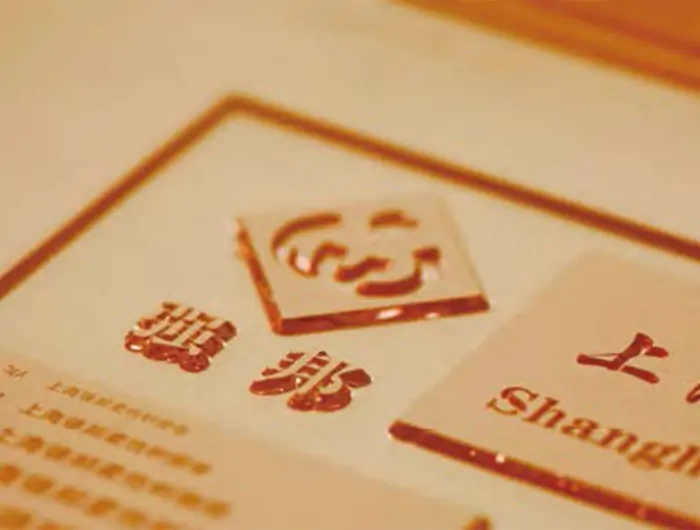
The choice of cleaning solvent directly determines plate longevity. Photopolymer plates swell when exposed to aggressive solvents, and repeated swelling and shrinking cycles create micro-cracks that first appear in fine screen areas and gradually spread across the solid printing areas. The solvent must dissolve uncured polymer residue and ink without attacking the cross-linked polymer network that forms the plate's printing surface.
For solvent-processed plates, use the manufacturer's recommended washout solvent at the specified temperature. Industry practice typically suggests a solvent temperature range of 20°C to 25°C for most photopolymer formulations; higher temperatures accelerate solvent penetration into the polymer and increase swelling. After cleaning, allow the plate to dry completely in a well-ventilated area for the time specified in the plate's technical data sheet (TDS). Typical recommendations range from 1 to 2 hours for thinner plates and up to 4 hours for thicker corrugated plates, though actual drying time depends on plate thickness, solvent type, and ambient ventilation. Rushing a plate back onto the press before the solvent has fully evaporated traps residual solvent in the polymer, which softens the plate surface and reduces its resistance to abrasion from the anilox roller.
For those using water-washable photopolymer plates, the cleaning process is simpler but still requires attention to detail. The washout water must be free of abrasive particles that can embed in the soft plate surface. A water filtration system is recommended as a minimum standard for preventing particle contamination during plate processing; a 5-micron filter is commonly cited in industry guidance, though specific requirements may vary by equipment and plate type. After washing, plates should be dried with clean, lint-free cloths rather than paper towels, which can leave cellulose fibres on the plate surface.
A weekly inspection under magnification catches plate degradation before it affects print quality on press. Three conditions warrant close attention.
First, inspect highlight dots at 10x magnification or higher. Dots that appear rounded or shortened compared to the original plate profile indicate surface wear that will eventually cause dot gain and loss of highlight detail. Second, check the plate shoulders—the angled sidewalls that support fine lines and text. Shoulders that show undercutting or a concave profile mean the plate has been over-exposed during processing or attacked by incompatible cleaning chemistry. Third, run a fingertip across the solid printing areas. A surface that feels tacky or sticky, even after thorough drying, indicates residual solvent or ozone attack from prolonged UV exposure. Tacky plates pick up dust and paper fibres that transfer onto the substrate as print defects.
Documenting these weekly observations in a plate log helps identify patterns: a plate that degrades faster on one specific press station may point to excessive impression pressure or a worn anilox, rather than a plate material problem.
Ink residue that survives daily cleaning accumulates over weeks and polymerises further with each exposure to ambient UV. A monthly deep clean removes this built-up layer. Soak the plate in the manufacturer's recommended cleaning solution for the time specified in the product's technical documentation—commonly in the range of 10 to 15 minutes for many formulations—then gently agitate the surface with a soft nylon brush. Avoid scrubbing with firm pressure; the goal is to dissolve residue, not to abrade the plate surface.
After deep cleaning, verify the plate's UV post-exposure (also called light finishing). Under-exposed plates remain soft and wear quickly. Over-exposed plates become brittle and crack at the fold when mounted on small-diameter cylinders. The correct post-exposure time for a given plate thickness and formulation is specified by the manufacturer. If a UVA exposure unit is available, use a radiometer to confirm that the lamp output matches the original specification. Mercury lamps degrade over time and may require extended exposure to deliver the same UV dose.
Photopolymer plates are sensitive to UV light, heat, and ozone—three factors present in most pressrooms. Storage conditions that ignore these sensitivities reduce plate life more than any other factor.
UV exposure is the most damaging. Plates left face-up on a workbench near a window or under unshielded fluorescent lights receive cumulative UV exposure that slowly hardens the polymer. Unprocessed plates must be stored in their original light-safe packaging until ready for use. Processed plates should be stored flat in closed drawers or cabinets, or hung vertically with the printing surface facing inward, away from light sources.
Temperature control matters equally. A storage temperature range of 15°C to 25°C is commonly recommended for photopolymer flexo plates. Temperatures above 30°C may accelerate thermal degradation of the polymer, potentially causing the plate to become brittle over time. Temperatures below 10°C can make the plate stiff and more prone to cracking during mounting. A relative humidity range of 40% to 60% is generally recommended. Low humidity may cause the plate to lose flexibility; high humidity can promote mould growth on water-washable plates if they were not dried thoroughly before storage.
Ozone is generated by corona treaters, UV curing units, and some electrical equipment. Ozone attacks the polymer surface, potentially causing crazing—a network of fine surface cracks visible under magnification. Plates stored near corona treaters or UV dryers should be kept in sealed containers to limit ozone exposure.
When maintenance routines consistently reveal that certain plate types degrade faster in specific applications, it may be time to evaluate alternative formulations. Reviewing photopolymer plate options with different hardness grades can help printers match plate durometer to the substrate, reducing the mechanical stress that accelerates plate wear.
Plate damage during mounting is often mistaken for on-press wear. Three handling practices reduce mounting-related damage. First, handle plates only by the edges or the non-image area. Finger oils on the printing surface create ink adhesion problems that become visible as ghosting in solids. Second, use a mounting gauge or laser alignment tool rather than repositioning the plate multiple times by hand. Each repositioning cycle flexes the plate and stresses the polymer at the bend points. Third, clean mounting tape residue from the plate cylinder before mounting new plates. Old adhesive residue creates uneven support under the plate, producing high spots that wear faster.
The financial benefit of proper plate maintenance is straightforward to assess. A plate that costs a given amount per unit and reaches its full expected impression count delivers a significantly lower per-impression cost than the same plate failing prematurely due to neglected care. For example, a plate reaching 200,000 to 300,000 impressions through consistent maintenance delivers two to three times the value of one that fails at 100,000 impressions—regardless of the specific plate price. Multiplying that difference across dozens of plates per month, the savings from structured cleaning, inspection, and storage routines are substantial. The exact return depends on plate cost, print run lengths, and the specific maintenance practices implemented.
For pressrooms looking to standardise their plate maintenance protocols, STRONG's photopolymer plate product line includes both digital and analogue formulations with detailed technical documentation on recommended cleaning, drying, and post-exposure procedures.
The maintenance recommendations and technical parameters provided in this article are general industry guidelines drawn from widely accepted flexographic printing practices. Actual cleaning procedures, solvent compatibility, drying times, post-exposure requirements, and storage conditions vary by plate manufacturer, plate formulation, press configuration, and operating environment. Always consult the technical data sheet (TDS) and safety data sheet (SDS) provided by your specific plate and solvent manufacturers before implementing any maintenance routine. The economic comparison provided is for illustrative purposes only and does not constitute a guarantee of plate lifespan, print quality, or cost savings. Individual results depend on press conditions, operator skill, substrate type, ink chemistry, and production volume. STRONG shall not be held liable for any damage, loss, or expense arising from the use of or reliance on the information contained in this article.
GET A QUOTE